
Appearance
What is Presently?
Presently is a Salesforce app for taking and analysing attendance in recurring programs: tutoring centres, studios, churches, clubs, schools and training providers. It runs inside your own Salesforce org, and the people you track are your Salesforce Contacts.
What it covers
- Take attendance fast. Open a session and mark each person with one tap, on a tablet at the door or at a desk. Add a reason, such as Sick, with suggestions as you type.
- Run programs. Set up a program, run it as one or more offerings with their own dates and roster, and create sessions from the offering's schedule.
- Manage rosters. Enroll people, copy a roster from another offering, or clone a whole offering for the next term. Add a walk-in to a single session without enrolling them.
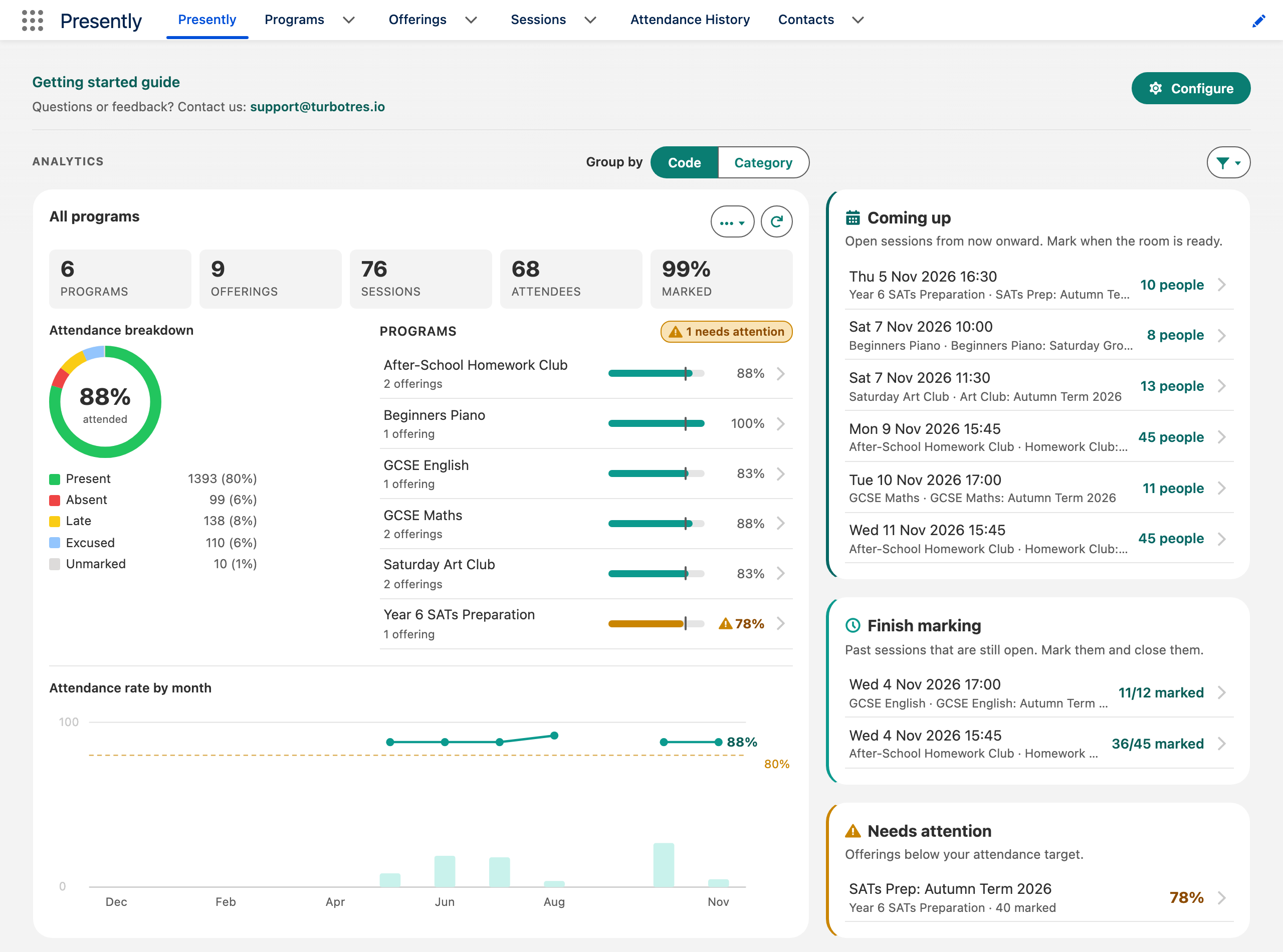
- See the picture. The Home page shows attendance rates from all programs down to a single session, trends over time, offerings below your target, and sessions still to mark. Look up anyone enrolled to see their own attendance.
- See attendance history. Each offering has an attendee-by-session grid with each person's attendance rate, which you can export as CSV.
- Report on it. Build your own Salesforce reports on Presently data with the included report type.
Presently records and reports attendance. It does not send messages or reminders to attendees, and it does not work offline, so marking attendance needs an internet connection. A session's attendance sheet shows up to 1,000 attendees.
How Presently is organised
Program            e.g. Morning Yoga
  Offering         e.g. Yoga: Autumn term (dates, schedule, instructor, roster)
    Enrollment     a person signed up to the offering
    Session        one meeting, e.g. Mon 7 Sep 2026 09:00
      Attendance   one person's mark on one session
Terms used in Presently
| Term | Meaning |
|---|---|
| Program | What you run, such as "Morning Yoga" or "Year 7 Maths". Holds offerings. |
| Offering | One run of a program with its own dates, schedule and roster, such as "Yoga: Autumn term". |
| Session | One meeting of an offering, at a date and time. Attendance is marked per session. |
| Enrollment | A person (a Contact) signed up to an offering. Enrolled people appear on every new session of the offering. |
| Attendance | One person's row on one session: the code they were marked with and an optional reason. |
| Attendance code | A mark such as P (Present) or A (Absent), with a colour. |
| Reporting category | A group of codes for reporting, such as "Present" or "Absent". |
| Attendance target | The rate below which a program, offering, session or person is flagged, and which categories count as attended. |
| Walk-in | Someone marked on a session without being enrolled on the offering. |
| Unenrolled | Someone who was enrolled and has since been removed. Their past attendance is kept. |
| Attendance History | The grid of attendees against sessions for one offering, with each person's rate. |
| Closed session | A session whose marking is finished. Its marks are read-only until someone reopens it. |
Which Salesforce editions?
Presently works in Enterprise, Unlimited and Developer editions. Professional Edition orgs can install Presently once it is listed on AppExchange. It does not install in Group Edition.
Where your data lives
Everything Presently records stays in your Salesforce org. Presently sends nothing to Turbo Tres or anyone else. See Privacy and your data.